Messages and spending requests
Messages is where you talk money without it turning into a big conversation: a quick thank-you, a heads-up, or a "can we?" before a big spend.
Updated 7 November 2026
Notes
Send a note from Messages, or from the notes near the bottom of Home. Write your own, or send a quick one ("Thank you", "Proud of us"): in Messages, tap the smiley beside the box; on Home they're above it. Your partner gets a notification if they've turned them on.
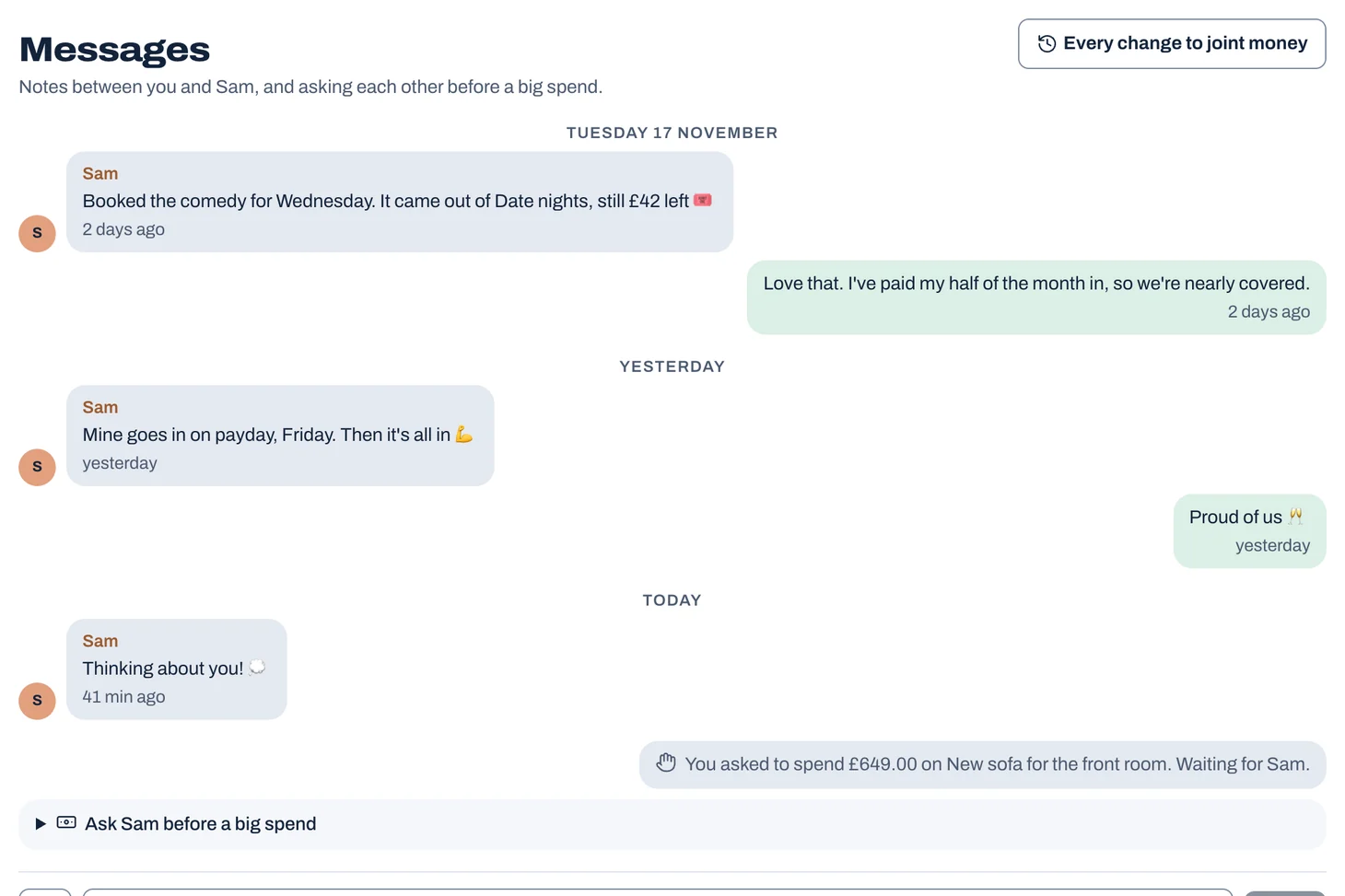
Messages reads as one conversation, oldest at the top, under a heading for each day.
Tap to see it full size
Asking before a big spend
- In Messages, below your notes, open "Ask Sam before a big spend" (with your partner's name).
- Say what it's for and how much, add why if it helps, and choose Ask.
- Your partner answers from Messages: Yes, Let's talk (it goes on your next check-in), or Not now.
Tip: Joint spending that isn't in the budget is flagged for your check-in, whatever it cost. To ask each other first above an amount, turn on "Ask first" under Spending → Requests.
Changes waiting for your OK
The top of Messages also shows your partner's changes to joint money and their questions about spending, under "Waiting for you", with a link to every change to joint money. See "Changes, questions and your OK".
Not financial advice. Jointwise gives you tools and general information to manage money together. It isn't regulated financial advice. It doesn't know your full circumstances.
Related features
More help
Changes, questions and your OK
Every change to joint money is shown to you both. Say Fine or Let's talk, ask and answer questions about spending in a tap, and see the full history under Updates.The Community
Ask other couples, share tips and wins, and suggest ideas in the Jointwise Community, under a nickname, with nothing from your budget shown.Suggest a feature on the Ideas board
Suggest something you'd like Jointwise to do, give a thumbs up to the ideas you'd use, and see what's planned, being built and done.Privacy: what your partner sees
What's shared in Jointwise and what stays yours: your own budget, spending and pots are private unless you choose to share them.
Sort your money together tonight.
Set it up in one evening and invite your partner with a link. Your 30 free days start when they join.
No card to start. Nothing deleted if you stop. Either of you can leave any time.