Everything a couple shares, in one app.
Money, plans and chores for the two of you, each built so neither of you has to keep score. Here's how every part works, on the app's real screens.
What's On
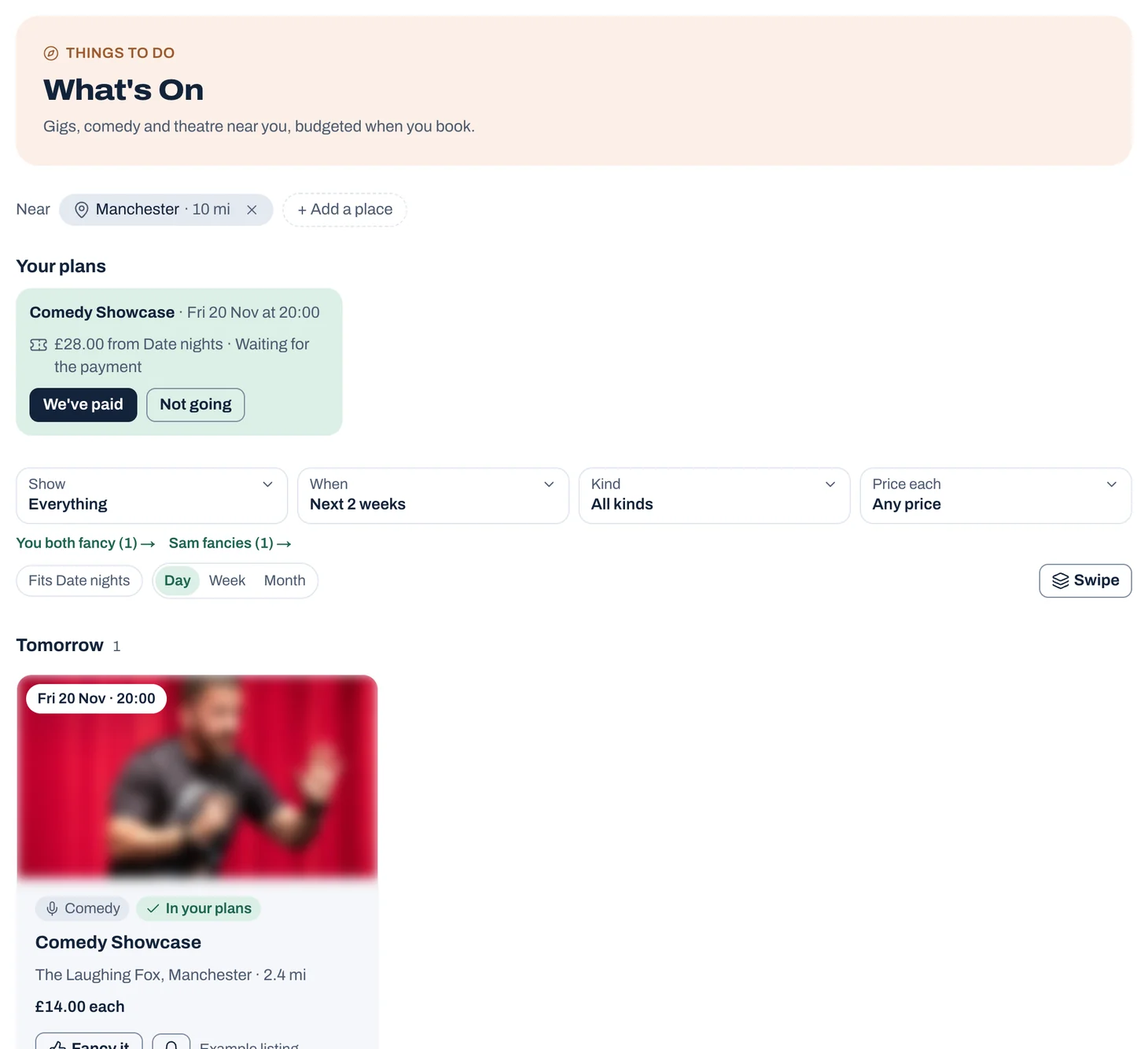
Finding something to do is the easy part. Knowing you can afford it, and remembering to put the money aside, is harder. What's On shows what's happening near you and puts the cost where it belongs: in the budget, in the month you buy the tickets.
Tap to see it full size
Date nights that fit
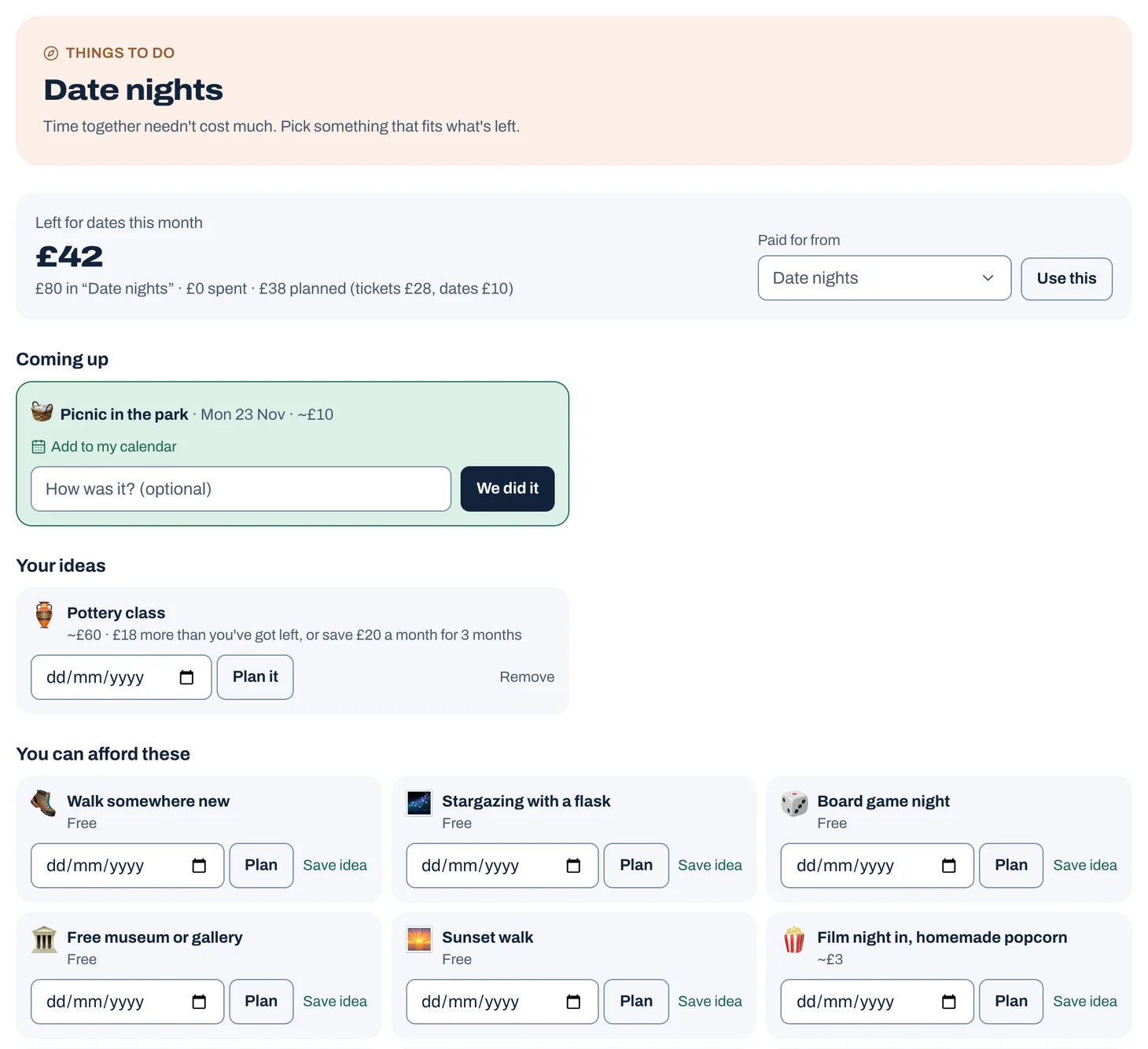
Time together matters more than what it costs. Jointwise keeps a date budget for the two of you and shows which ideas fit what's left this month, so you can say yes without checking the bank first.
Tap to see it full size
Shared calendar
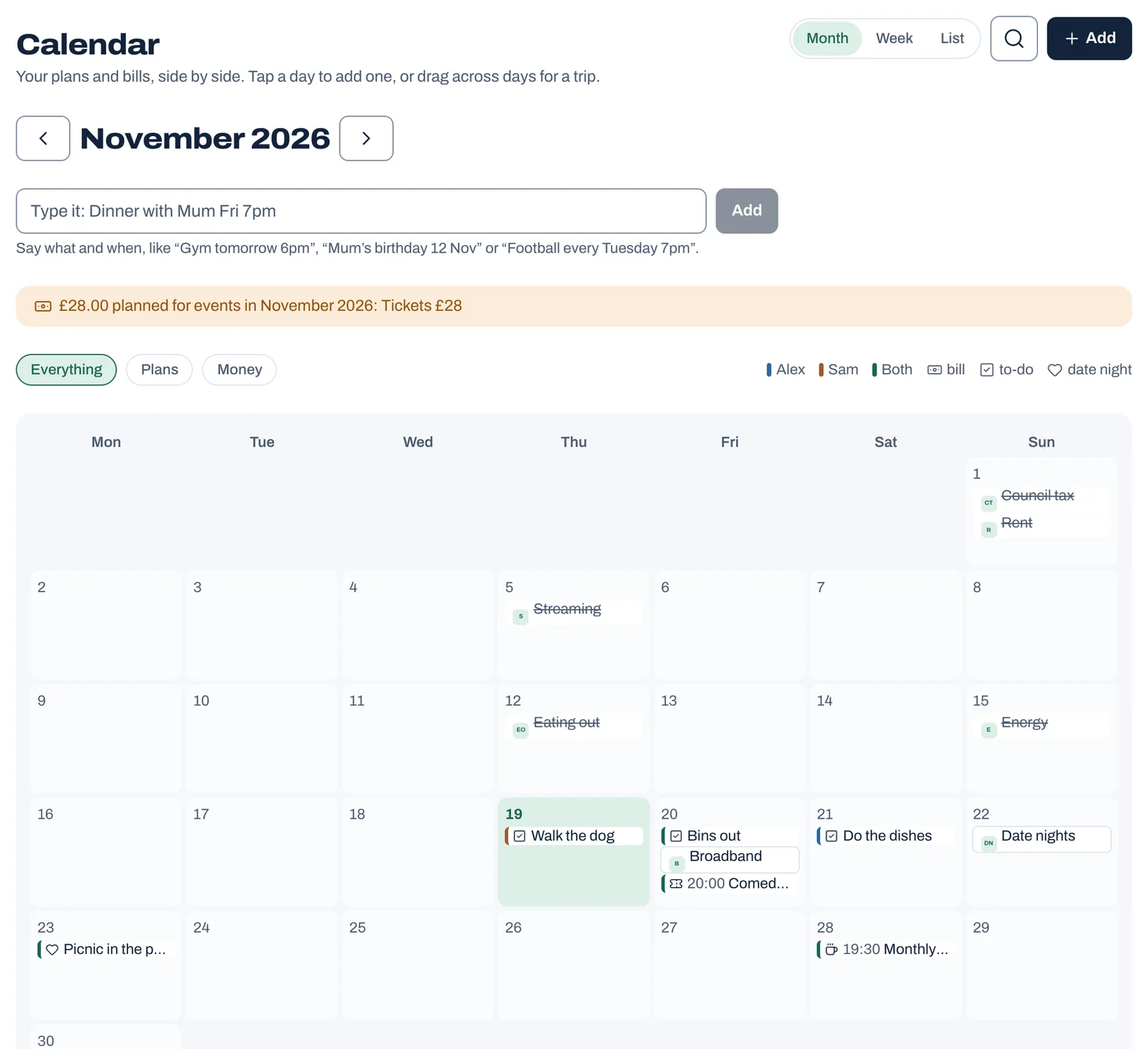
Most couples run two calendars and a group chat. Jointwise gives you one calendar for both of you, with your plans and your bills on the same page. It's the Calendar section, alongside your shared to-dos.
Tap to see it full size
Shared chores and to-dos
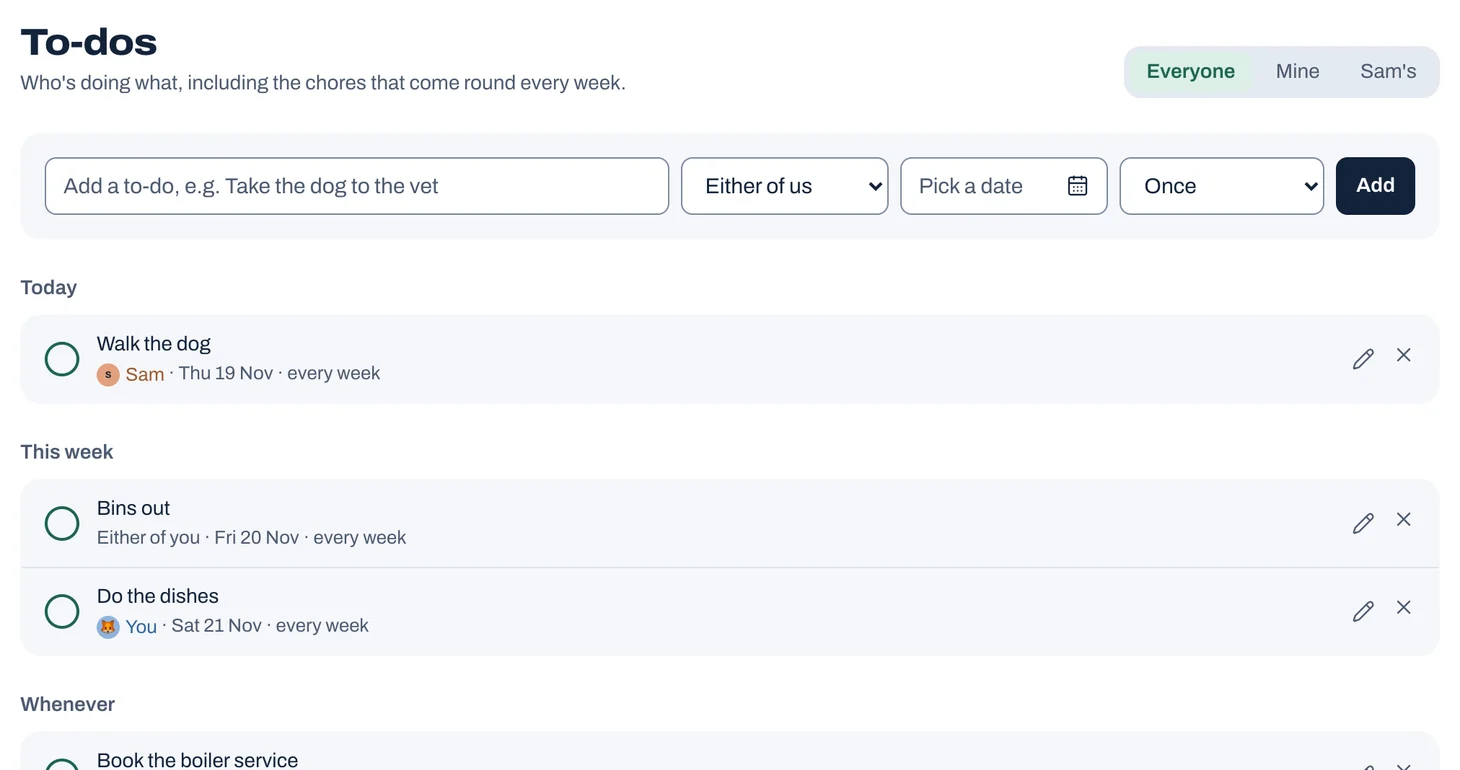
Who walked the dog? Whose turn is it for the bins? Jointwise keeps one to-do list for the two of you, so the jobs are shared out and nobody has to keep track in their head.
Tap to see it full size
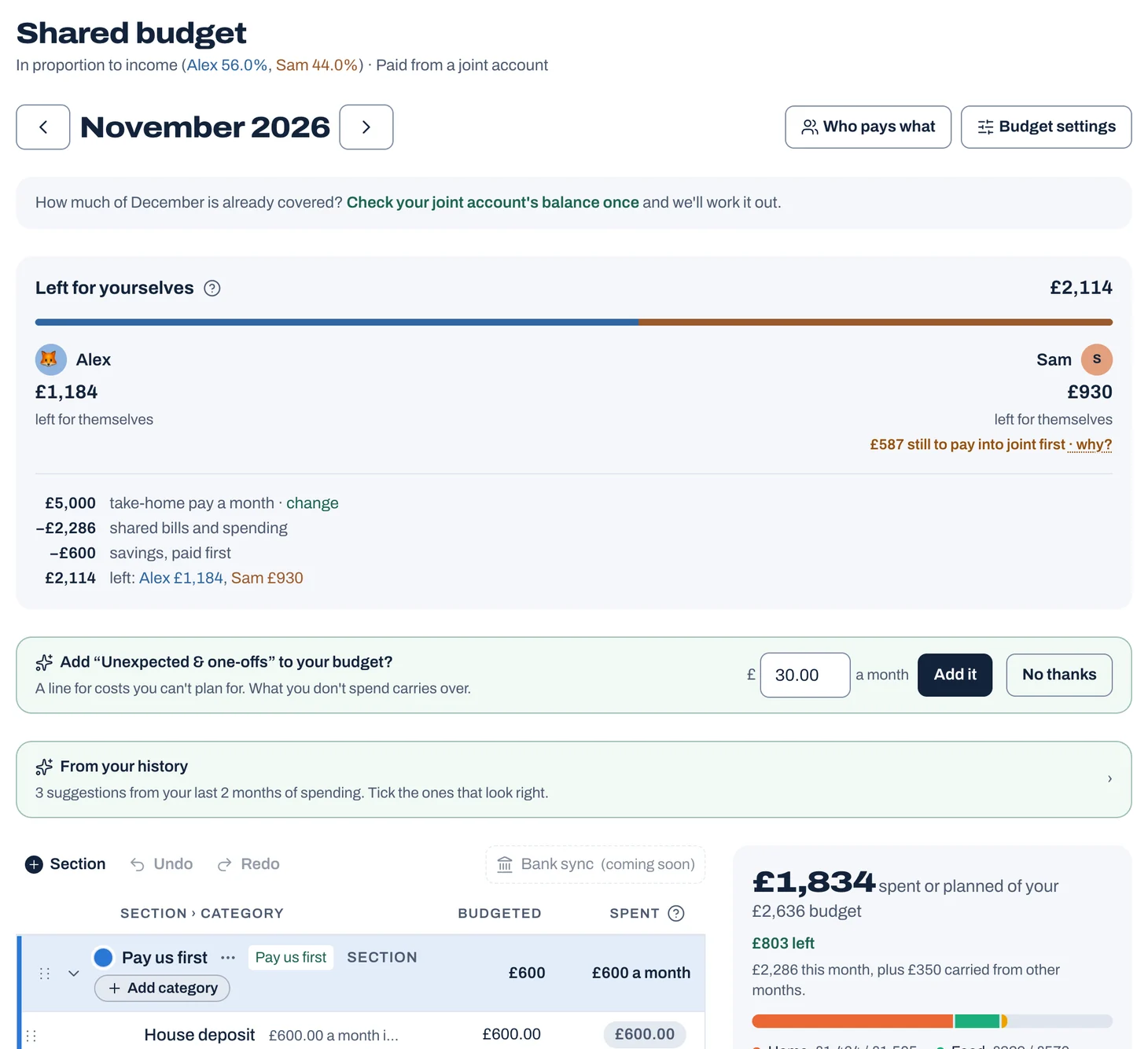
Shared budget and fair splits
Every couple splits money differently. Jointwise works with however you do it, shows the whole month on one page you both see, and keeps a clear record so neither of you has to keep score.
Tap to see it full size
Receipts and quick add
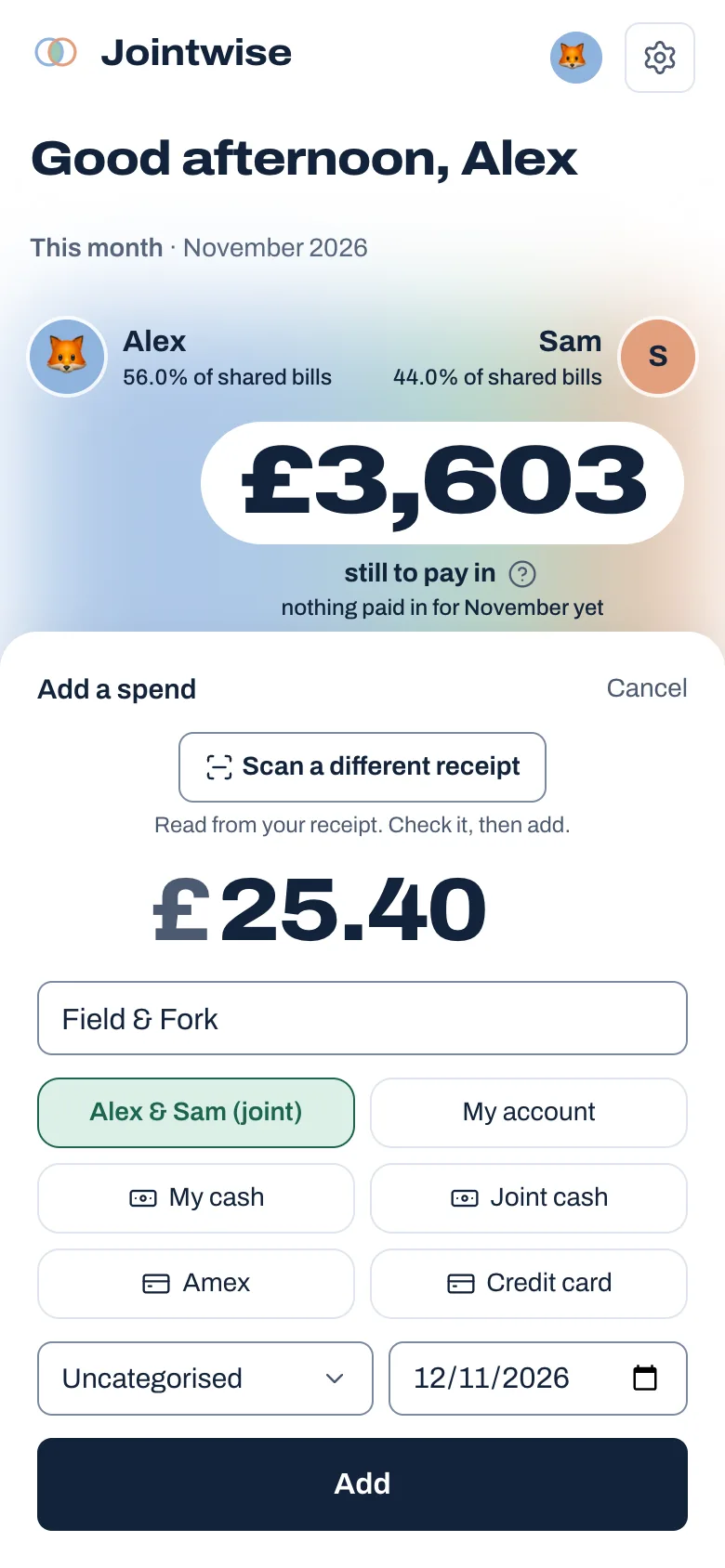
A shared budget only works if it's up to date, and nobody wants to spend the evening typing. Jointwise makes getting spending in quick, from the receipt in your pocket to the PDF from your bank.
Save or pay off debt
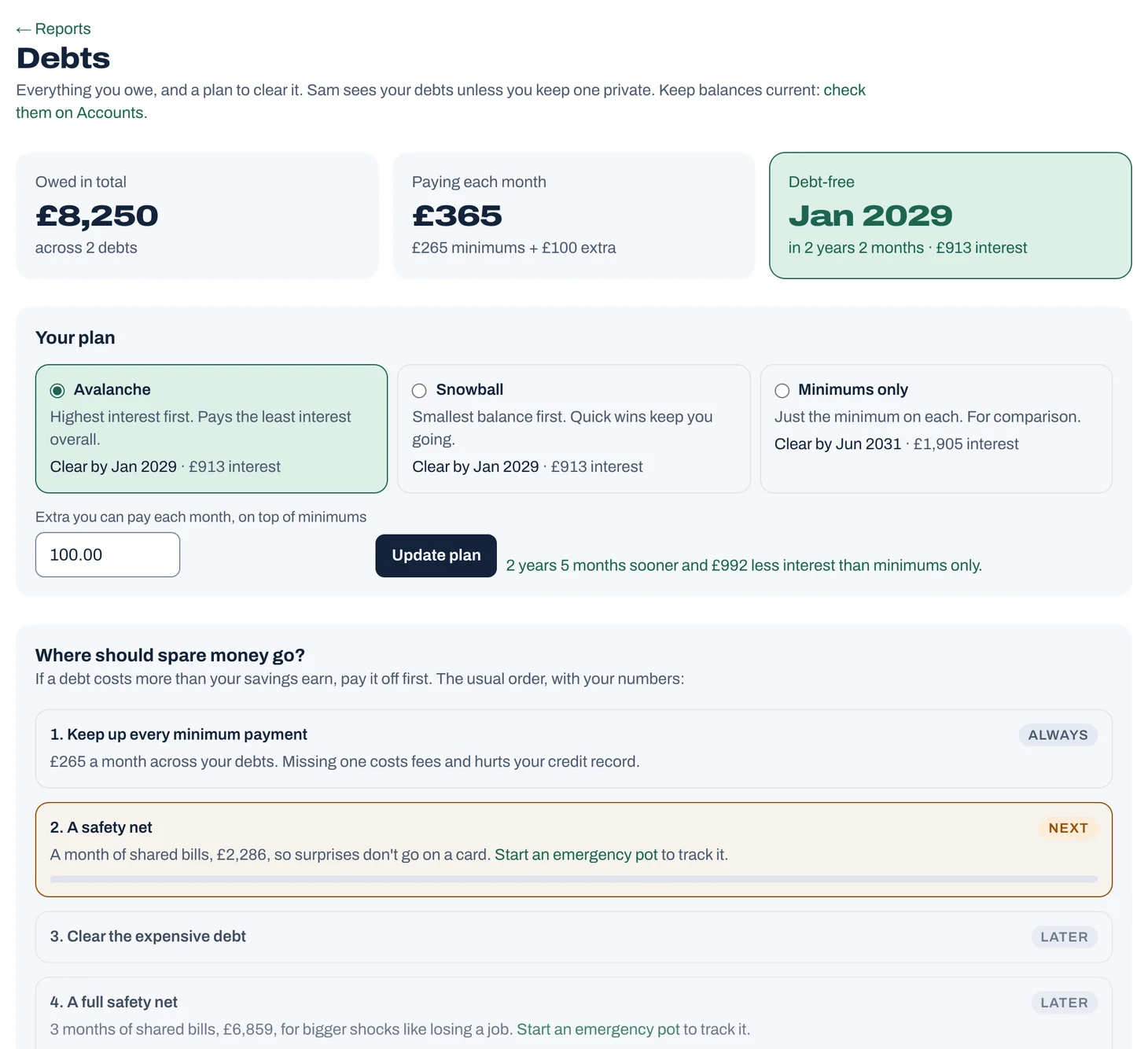
If a debt costs more in interest than your savings earn, paying it off is usually the better use of spare money. Jointwise does that comparison for you and puts the steps in order.
Tap to see it full size
Pay that varies
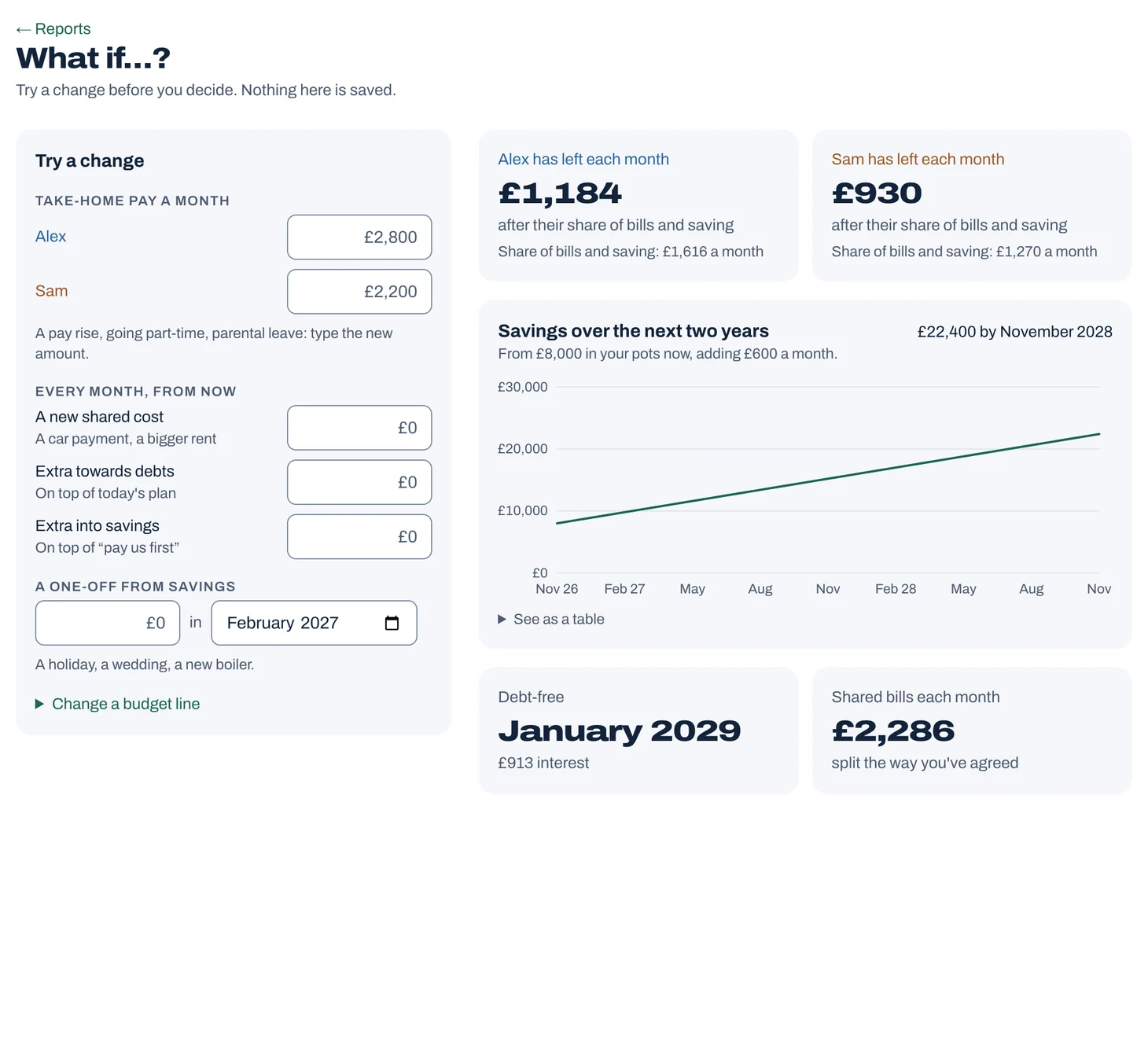
When one or both of you has pay that changes month to month, a fixed budget doesn't work. Jointwise plans around a quiet month instead.
Tap to see it full size
Credit cards
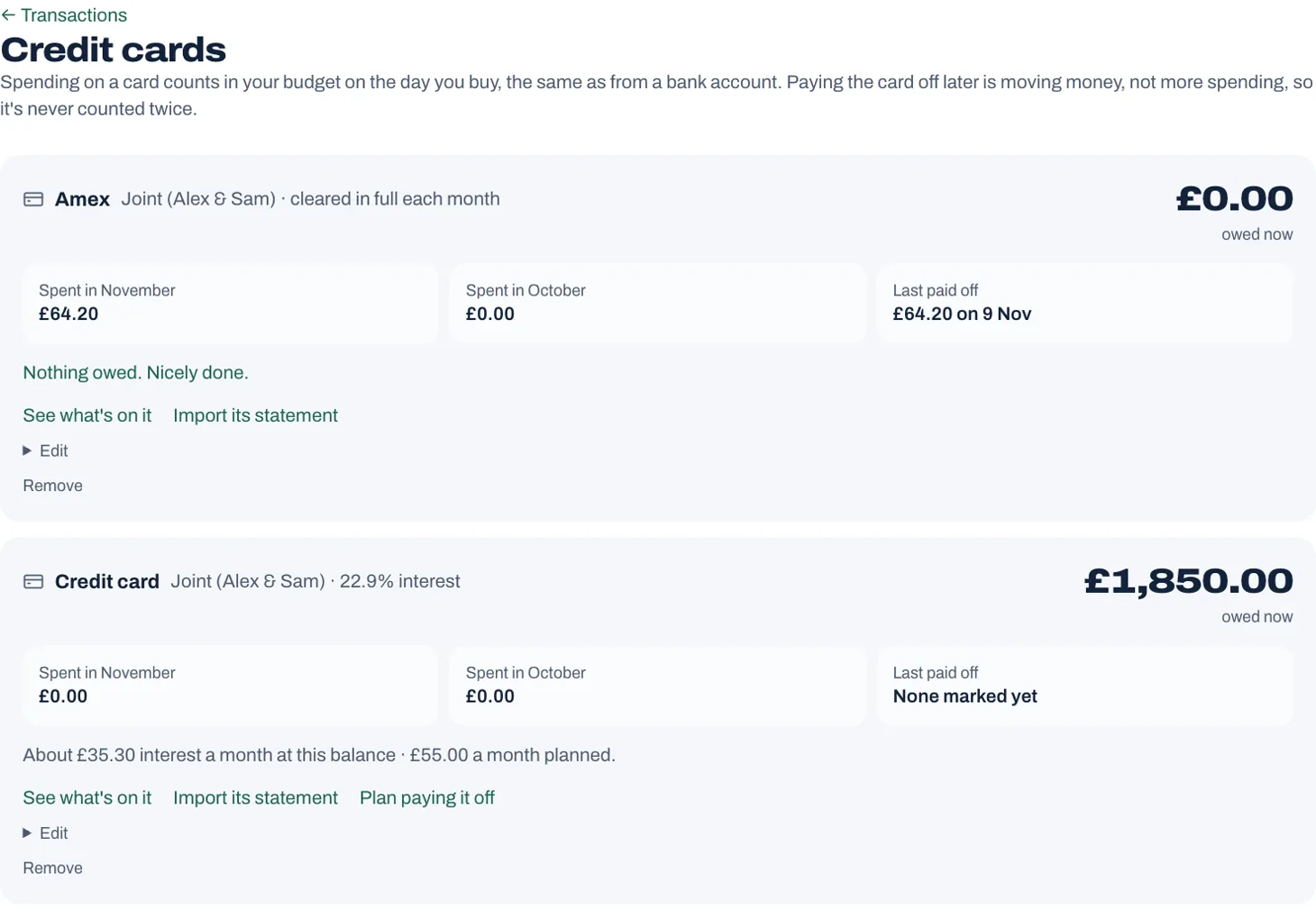
Plenty of couples put the food shop on a credit card for the points or the protection, then clear it each month. Most budgets get that wrong: they count the shopping, then count it again when the card is paid. Jointwise counts it once, on the day you buy.
Tap to see it full size
Reports and net worth
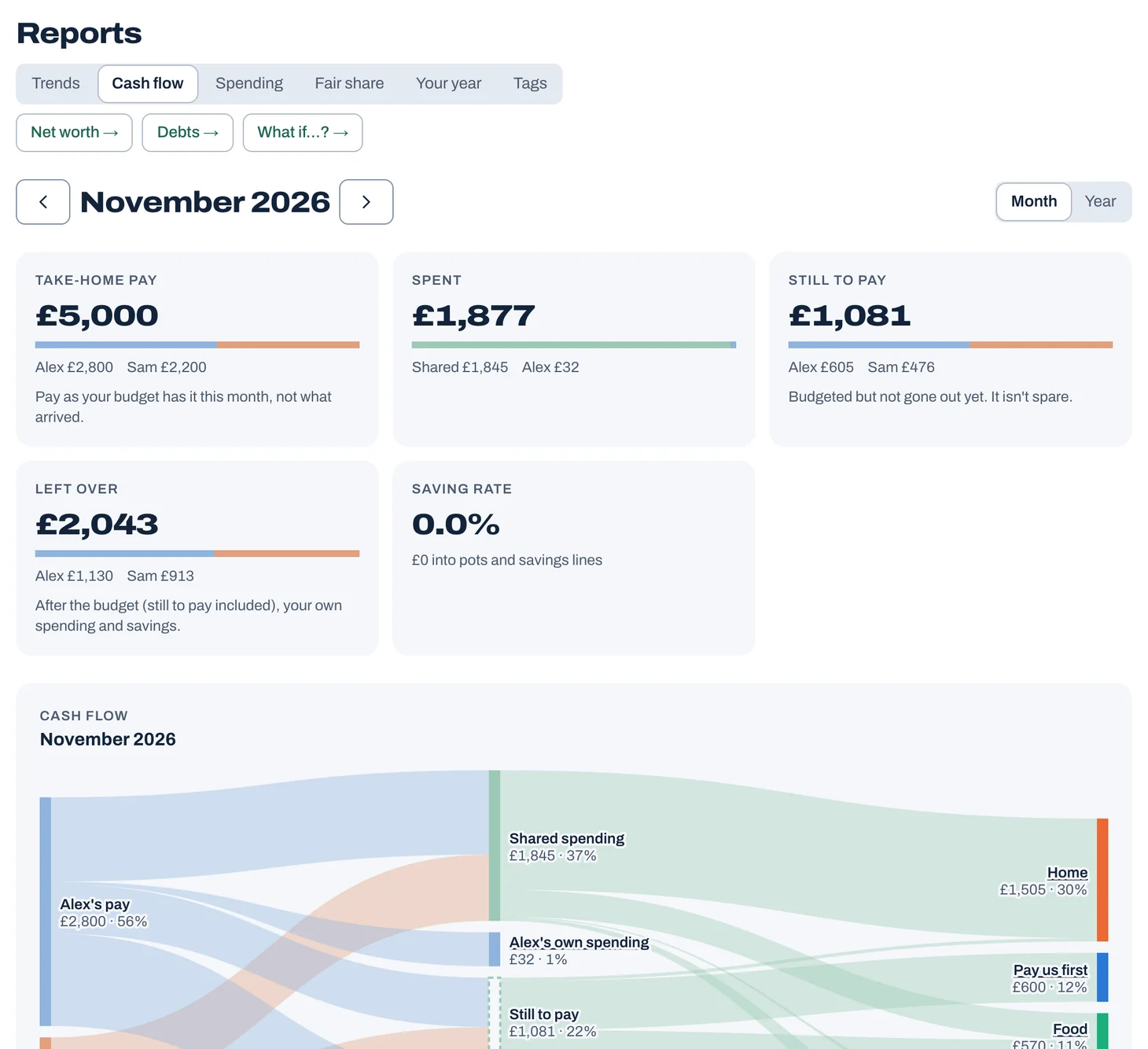
A budget tells you what you plan to do. Reports show what actually happened, and whether it still feels fair to you both, without anyone building a spreadsheet.
Tap to see it full size
Messages and agreements
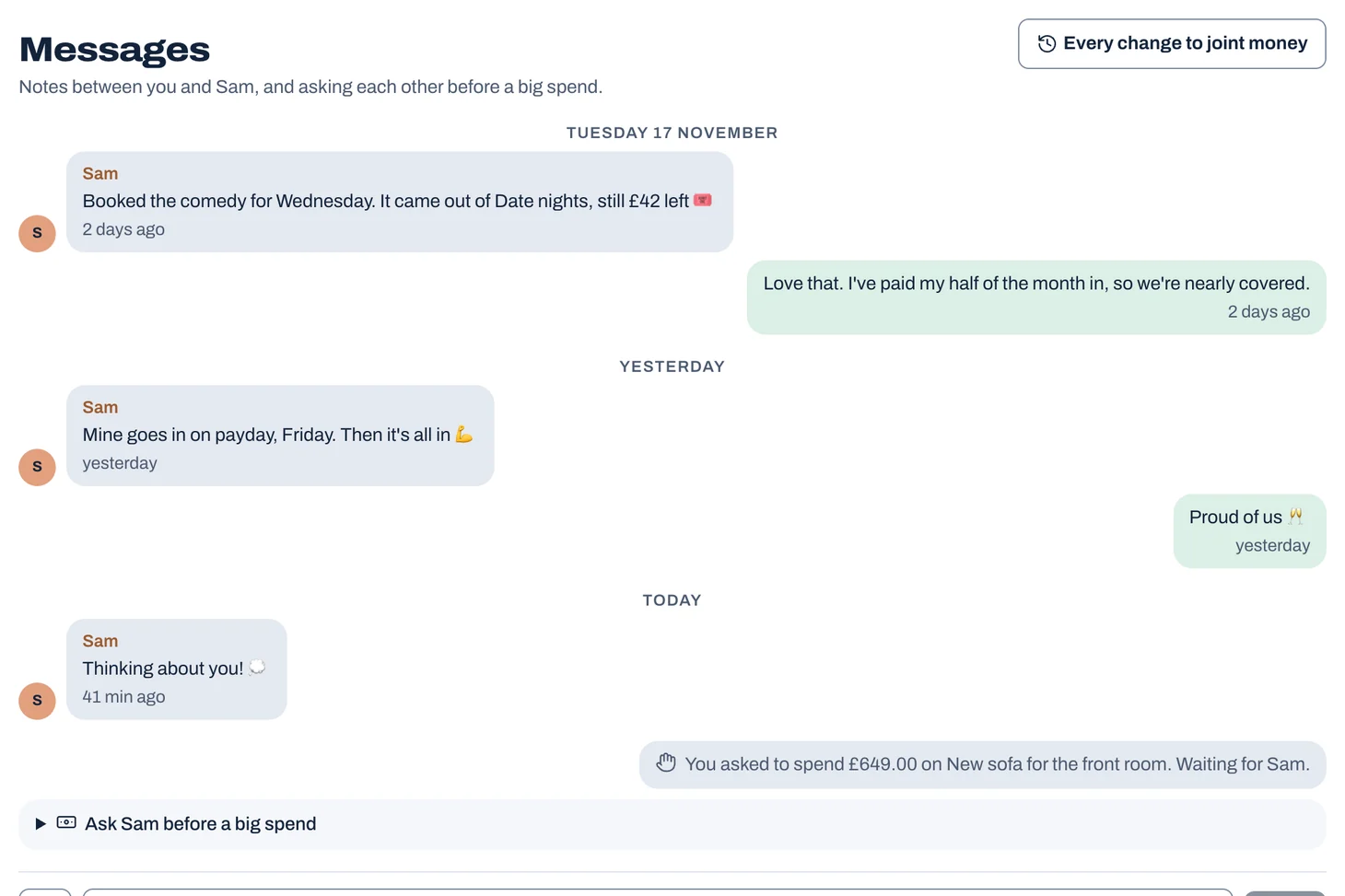
Most money rows start with a surprise: a big spend nobody mentioned, or a rule only one of you thought you'd agreed. Jointwise gives you small, easy ways to keep each other in the loop.
Tap to see it full size
Light, dark and on your phone
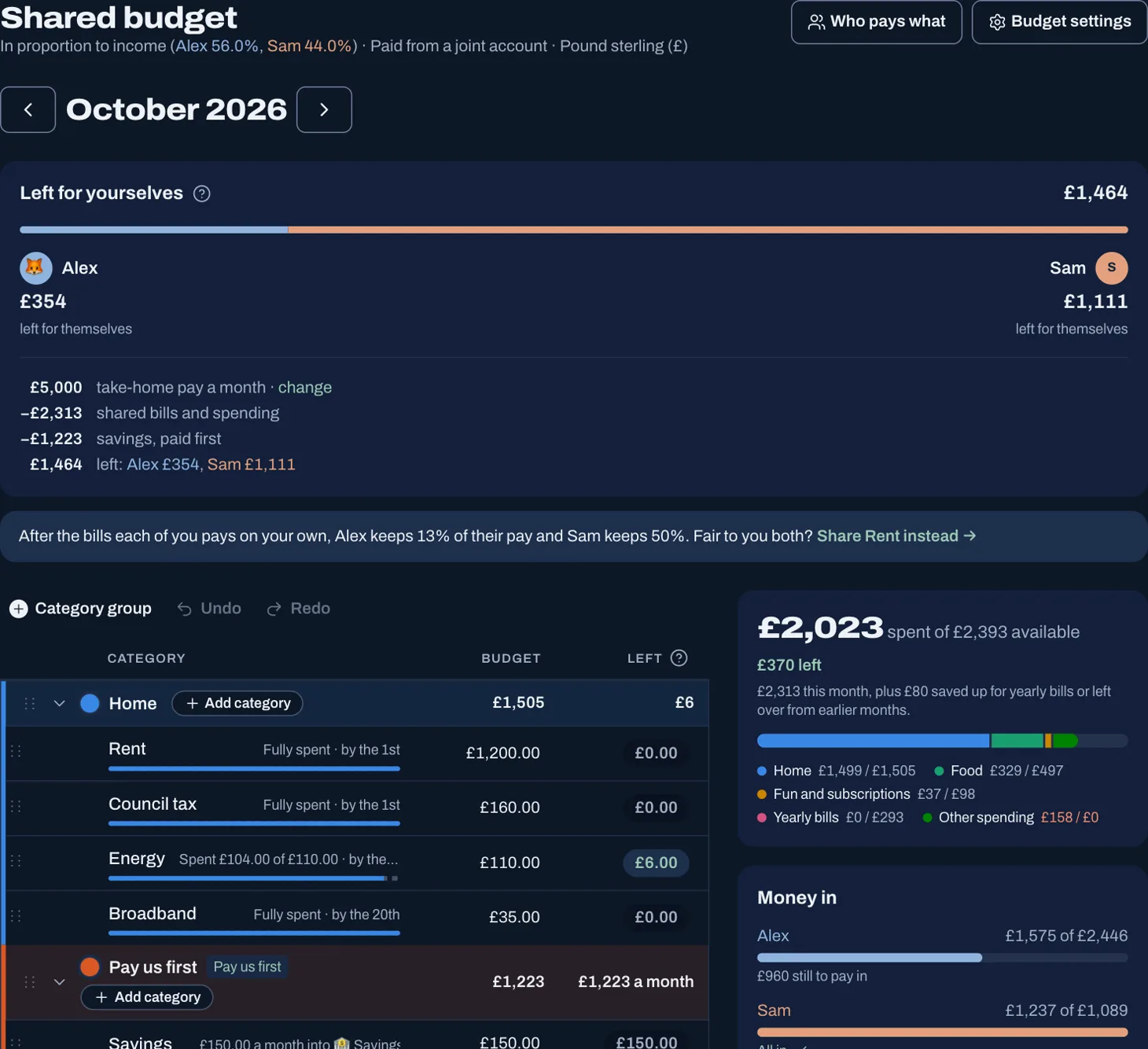
You'll use Jointwise at the kitchen table, on the bus and on the sofa at night. It's built to be comfortable in all three.
Tap to see it full size
And for the rest of life together
Coming in 2027
Bank sync, included in founder's pricing.
We're aiming to add bank sync in 2027, so transactions arrive by themselves. It costs nothing extra, and your founder's price never goes up because of it.
But we'd still start by hand.
A flood of imported transactions is how most budgets get abandoned: too much to sort, so nobody looks. Adding each spend yourself takes seconds, and it changes how you think about money.
So for your first 90 days we suggest adding spending by hand, with a ten-minute review each week. PDF and CSV statement import are there today for when you need to catch up.
Sort your money together tonight.
Set it up in one evening and invite your partner with a link. Your 30 free days start when they join.
No card to start. Nothing deleted if you stop. Either of you can leave any time.