Add spending in seconds
A shared budget only works if it's up to date, and nobody wants to spend the evening typing. Jointwise makes getting spending in quick, from the receipt in your pocket to the PDF from your bank.
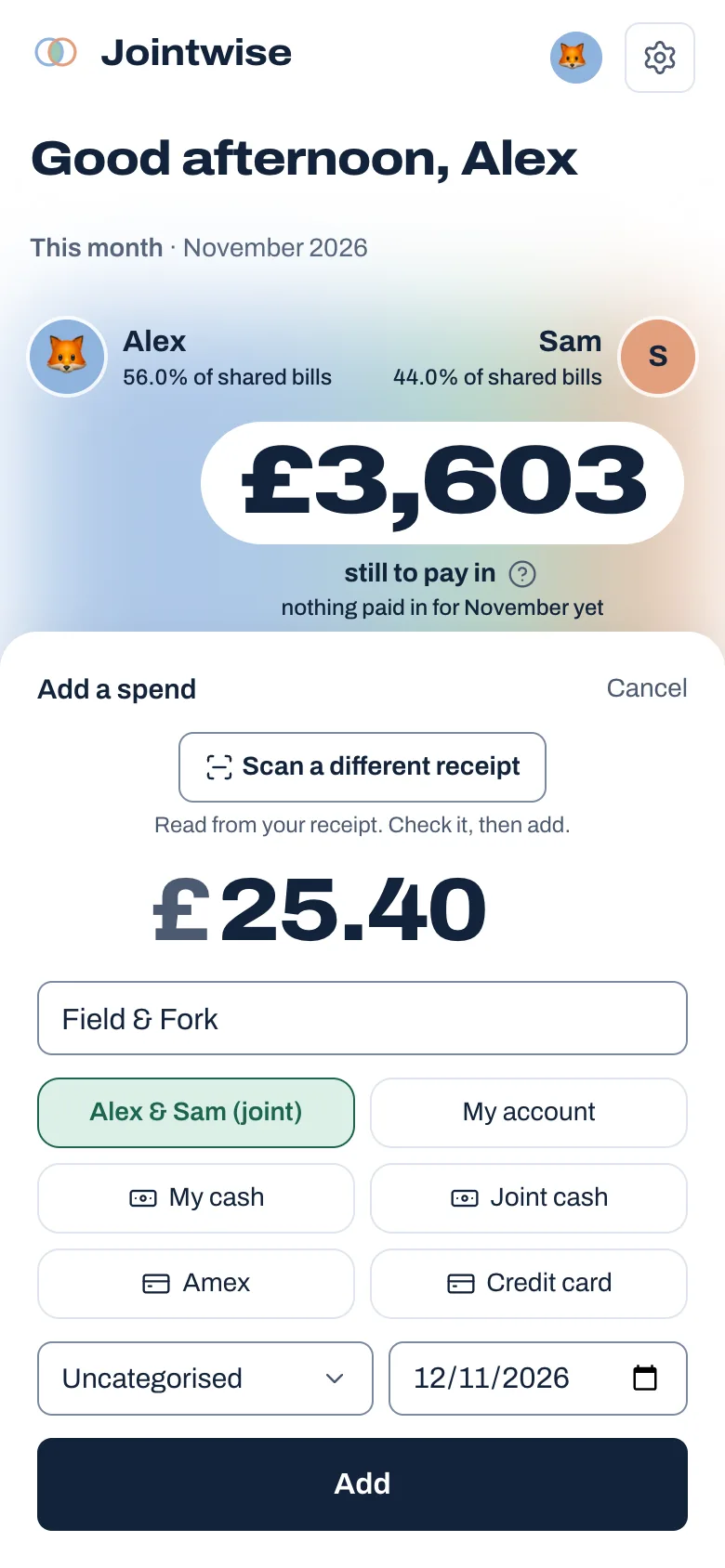
Scan a receipt
Tap the + button and choose Scan a receipt. Take a photo and Jointwise fills in the shop, the total and the date for you to check. What you bought goes in the note, and the receipt is kept with the spend.
A pile of receipts? Add ten at once
Snap them as you shop, then choose up to 10 photos or PDFs in one go. Jointwise reads each one into a list for you to check, then adds them all.
Or type it in one line
Type the amount and what it was together, like "18 lunch with Mia". Add when and how you paid too: "6 bus fare yesterday cash". Tap the suggestion and it's filled in.
PDF statements too
If your bank only gives you PDF statements, import those. Jointwise reads the transactions for you to check before anything is saved. A CSV is still best where your bank offers one.
What's left, before you buy
Home shows what's still in this month's budget for everyday spending, shared and your own, and about how much of it is for the rest of the week. "Thinking about buying something?" shows what a purchase would leave. Nothing is saved.
Tip: Step by step: Add spending by hand, and keep receipts.
Not financial advice. Jointwise gives you tools and general information to manage money together. It isn't regulated financial advice. It doesn't know your full circumstances.
Read more in Learn
Budget app for couples: what to look for
What a budget app for couples needs: two sign-ins, fair splits, privacy for your own money and help talking about it. A checklist for UK couples.Ways to budget as a couple
50/30/20, zero-based, pots, pay yourself first and fair-share budgeting explained for couples: pros, cons, why couples lean towards one and how to combine them.
More features
What's On
Local gigs, comedy and theatre, added to the calendar and the budget in one go.Date nights that fit
Ideas matched to what's left in your date budget this month.Shared calendar
Plans and bills side by side, with a prompt when something will cost.Shared chores and to-dos
Who's doing what, including the jobs that come round every week.
Sort your money together tonight.
Scan receipts, type a spend in one line, and check what's left before you buy. Set it up in one evening, and your 30 free days start when your partner joins.
No card to start. Nothing deleted if you stop. Either of you can leave any time.